Forgot SSO ID or Password
Complete guide to recover your Rajasthan SSO username or reset your password if you're unable to access your account.
SSO Account Recovery
It is common to forget login credentials. The SSO Rajasthan portal provides multiple ways to recover your account using your registered mobile number, Email ID, or Aadhaar/Jan Aadhaar number.
1. How to Recover Forgotten SSO ID (Username)
If you don't remember your Digital Identity (SSO ID), follow these steps to retrieve it via SMS:
Method A: Via Jan Aadhaar
- Visit sso.rajasthan.gov.in/signin.
- Click on the link that says "Forgot my Digital Identity (SSOID)" located just below the login button.
- Select the "Jan Aadhaar" option.
- Enter your Jan Aadhaar ID.
- Select your name from the family list and click "Send OTP".
- Enter the OTP sent to your registered mobile.
- Your SSO ID will be sent to your mobile via SMS.
Method B: Via SMS (Offline Method)
If you have a registered mobile number, you can send a simple SMS to get your ID:
- Type RJ SSO in your message box.
- Send this SMS to 9223166166.
- You will receive a reply message containing your SSO ID.
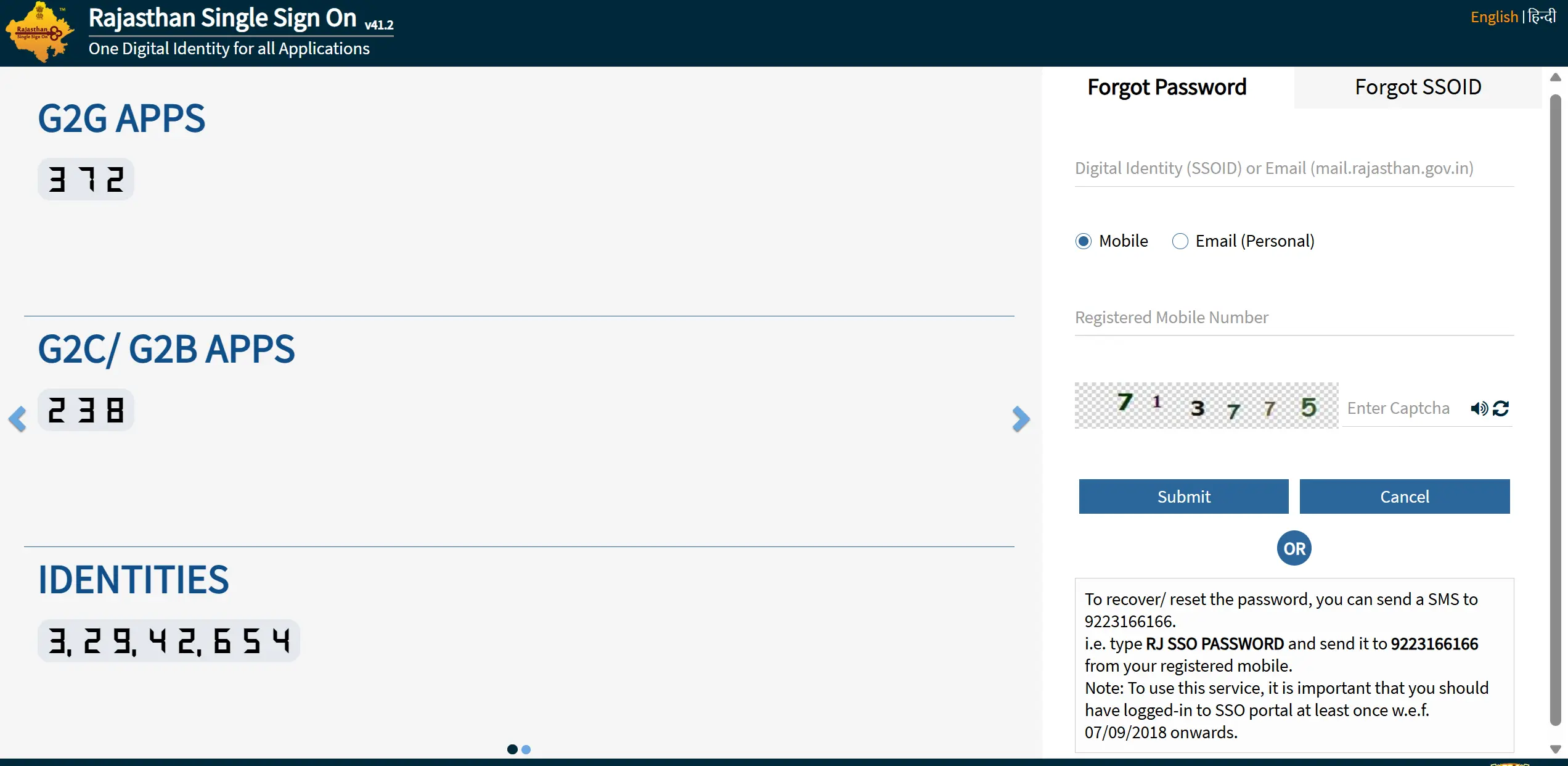
2. How to Reset Forgotten Password
If you know your SSO ID but have forgotten the password, follow these steps to set a new one:
- Go to the SSO Login page and look for the "Forgot Password" link.
- Click it, and a recovery form will open.
- Enter your SSO ID in the first field.
- Select a verification option: Mobile, Email, or Aadhaar.
- Enter the corresponding detail (e.g., your registered Mobile Number).
- Enter the Captcha code and submit.
- You will receive an OTP. Enter it to verify your identity.
- Once verified, you will be prompted to create a New Password and confirm it.
Troubleshooting Recovery Issues
"Mobile Number Not Registered"
This error occurs if the mobile number you entered is not linked to any SSO ID. Try using the Aadhaar or Jan Aadhaar option instead.
"OTP Not Received"
If you are not receiving the OTP, wait for 2-3 minutes and click "Resend OTP". Ensure your phone has network coverage. If the issue persists, the server might be busy; try again later.
"Account Locked"
If you enter the wrong password multiple times, your account may be temporarily locked. Wait for 20-30 minutes before trying again or use the "Forgot Password" option to reset it immediately.
Need Further Assistance?
If you are unable to recover your account using the online methods, please contact the helpdesk.
Email: [email protected] | Phone: 0141-5153222